
How OneBonsai actually uses Simplify, module by module
July 30, 2026 · 8 min read · Savio Roofthoofd
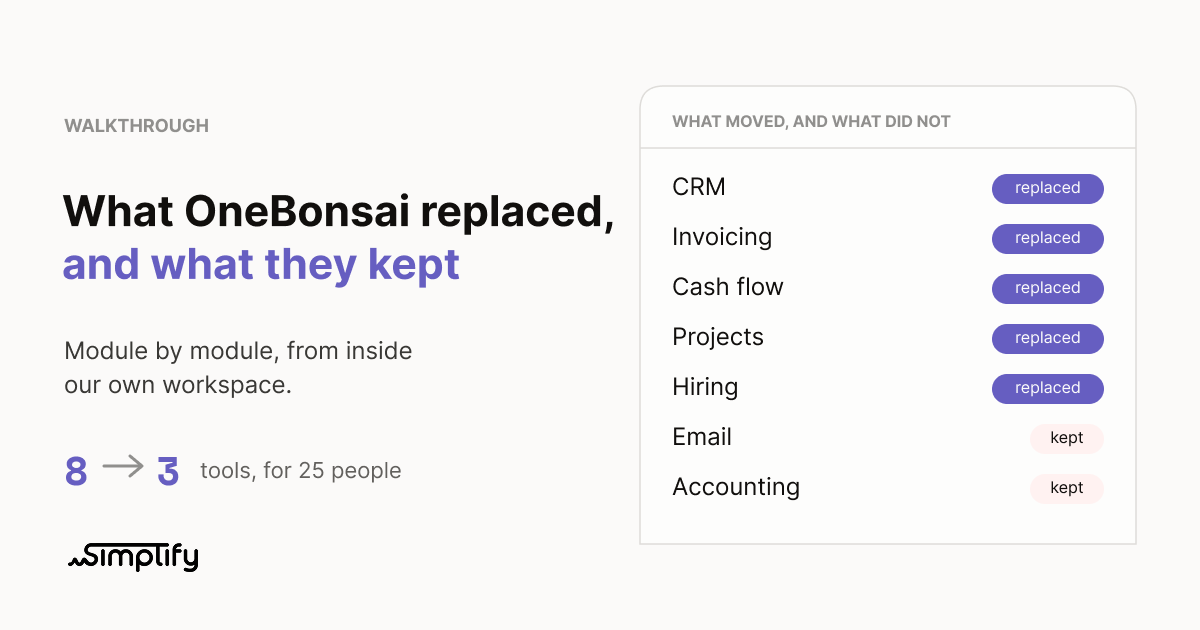
On Monday we published our own software bill: eight tools, EUR 1,116 a month, twenty-five people, and one person spending three and a half hours every Friday retyping numbers between four of them.
That piece was the story. This one is the walkthrough. Same company, OneBonsai (https://onebonsai.com), except here we open the actual workspace and go module by module: what we had, what replaced it, what the swap genuinely fixed, and where you should keep what you have.
Every screenshot below is our real workspace. Which brings up something worth saying out loud, since you are going to notice it anyway.
Most product tours show you a demo account where the pipeline is healthy, every project is green and the numbers are round. Ours is not that. There are stale deals in our pipeline right now, and a project that has been sitting untouched for weeks. We are leaving those in, because a screenshot with no mess in it tells you nothing about how software behaves on a Tuesday in the middle of a busy quarter.
1. The CRM, and the deal that becomes an invoice
We had: HubSpot Sales Starter, five seats, EUR 75 a month.
What it is in Simplify: contacts, companies and a deal pipeline with stages running lead, qualified, won.
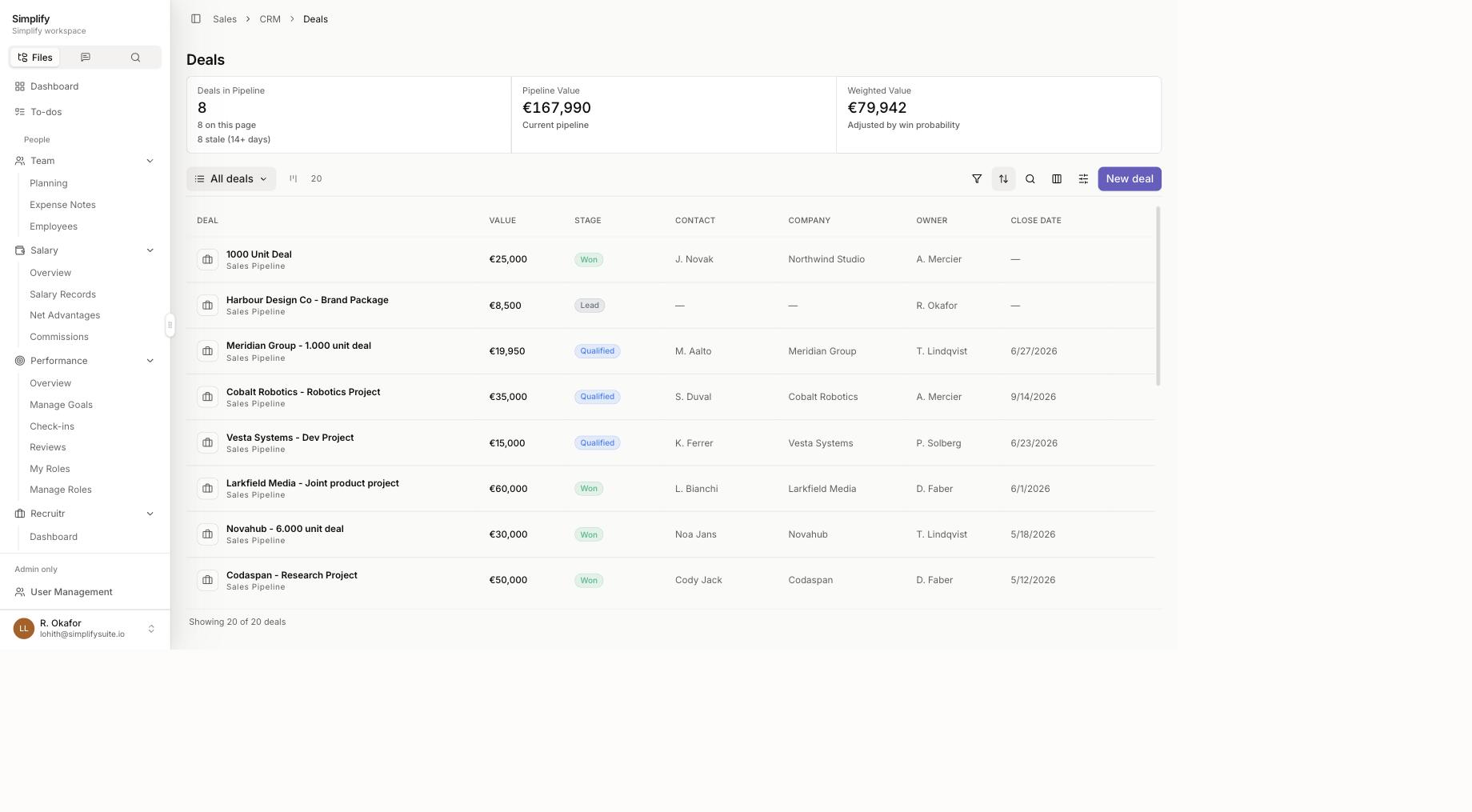
Weighted value. Next to the raw pipeline number there is a second figure, adjusted by win probability. The raw number is what you would have if everything closed. The weighted number is what a reasonable person should plan around. Most small teams only ever see the first one, which is why forecasts built on pipeline value are usually fiction.
Stale deal counting. The header tells you how many deals have not moved in fourteen days or more. Nobody enjoys that number. That is rather the point of it.
The Billing tab on the deal itself. This is the part that actually changed our week. A won deal becomes a quote, the quote becomes an invoice, and the client details carry across on their own. One click. Nobody retypes a company name the system already knows.
That last one sounds small written down. It was three and a half hours of our Friday.
Where you should keep what you have: if you run heavy outbound with sequences, lead scoring and enrichment, a dedicated sales tool will beat us on depth. We are built for a team closing tens of deals a year, not thousands.
2. Invoicing, and the gap between yes and paid
We had: a separate invoicing tool that had never met the CRM.
What it is in Simplify: quotes, invoices, credit notes, online payment through Stripe and Mollie, and a client portal.
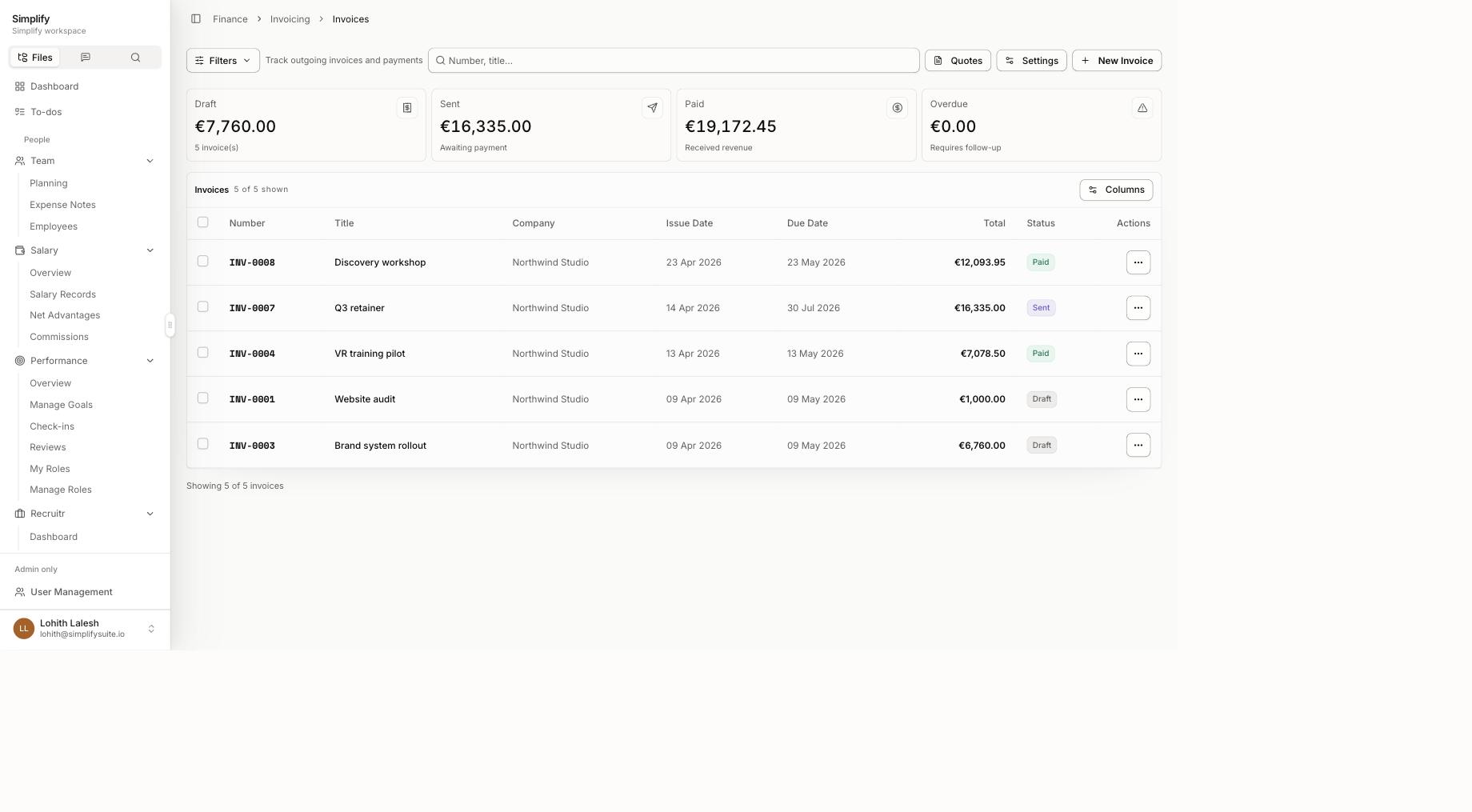
The four cards across the top are the entire point: draft, sent, paid, overdue. Not a report you run. The state of your receivables, sitting there when you open the page.
The overdue card is the one that earns its place. It is labelled "requires follow-up," and when it is at zero, that is a fact rather than a hope. Before this, "has anyone chased that invoice" was a question someone asked on a Friday and nobody could answer without opening two tabs.
Clients pay by card or bank transfer from a link, with no account and no login, and the payment status updates itself.
Where you should keep what you have, and this one is not negotiable: we handle the documents and the payments, then export polished PDFs and structured UBL for your accountant. We are not accounting software. Statutory accounting stays exactly where it is. If a tool tells you it replaces your invoicing and your accountant, ask it about UBL export and watch what happens.
3. Cash flow, or the question every founder gets asked
We had: a Google Sheet. Free, maintained by one person, out of date by Wednesday, and comfortably the most expensive item on our old bill.
What it is in Simplify: a ledger with a live bank feed through Ponto, scenario modelling, and a burn rate that updates itself.
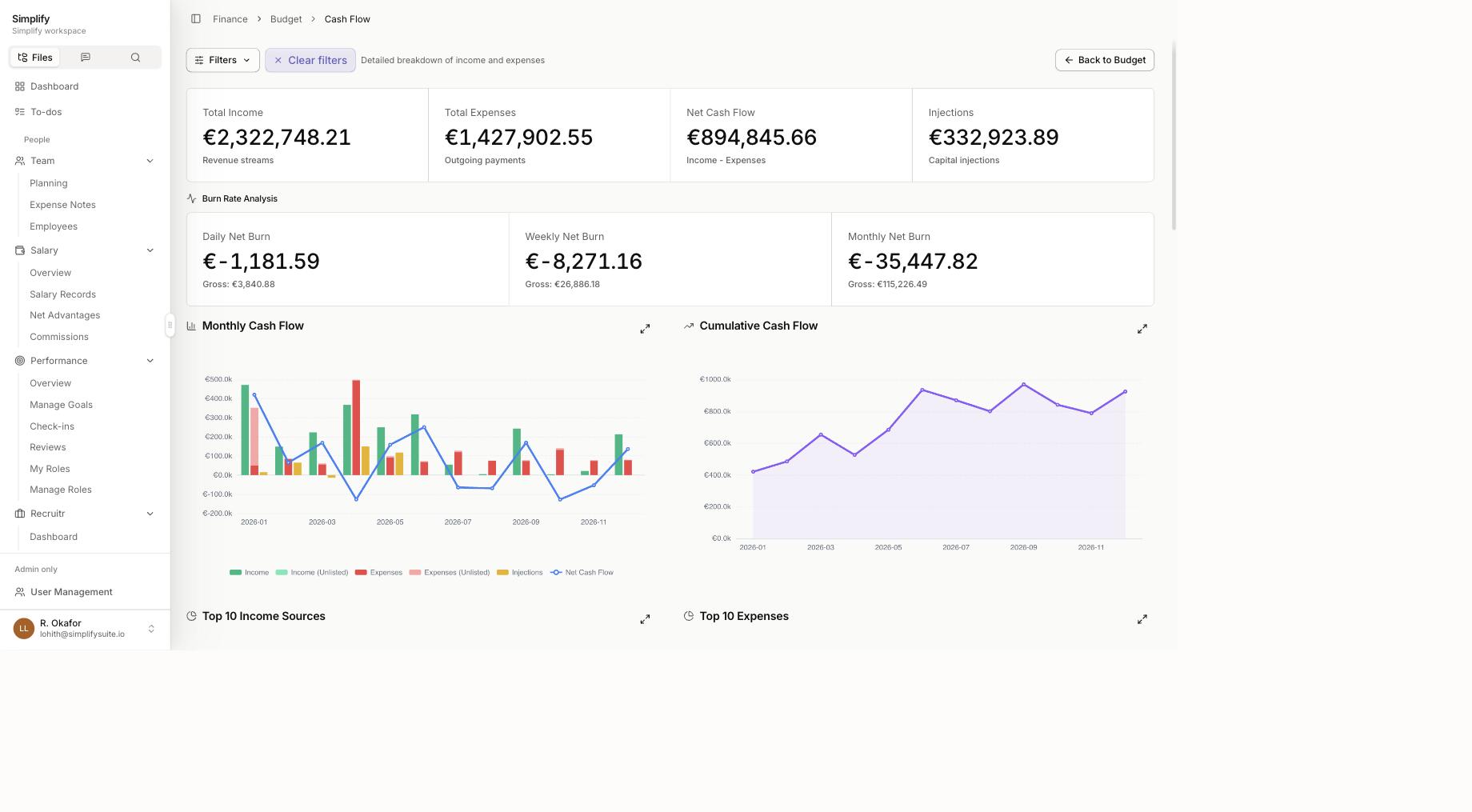
This is the module we underestimated, so it gets more room than the others.
The top row is income, expenses, net cash flow and capital injections. Underneath sits burn rate analysis, and it does something most tools skip: it shows net burn and gross burn side by side. Gross is what leaves the building. Net is what leaves after money comes in. Founders who only track gross burn tend to be pessimistic about their runway; founders who only track net tend to be optimistic. Seeing both is the honest version.
Each forecast line carries a probability weight, one hundred, sixty, thirty or zero percent, so a maybe-deal does not sit in your runway pretending to be money. The cumulative chart shows the shape rather than a single scary number, and the top ten income sources and top ten expenses answer "where is it actually going" without anyone building a pivot table.
Evarest can now answer "are we fine" by looking at a screen. Before, that question cost somebody an afternoon.
Where you should keep what you have: it is a forecast. It tells you the shape of the next few months based on what you know today. It is not a crystal ball and it is not your P&L.
4. Projects, and the profitable-looking disaster
We had: Monday.com Pro, fourteen seats, EUR 224 a month.
What it is in Simplify: projects with an owner, a team, tickets, a budget and a health status.
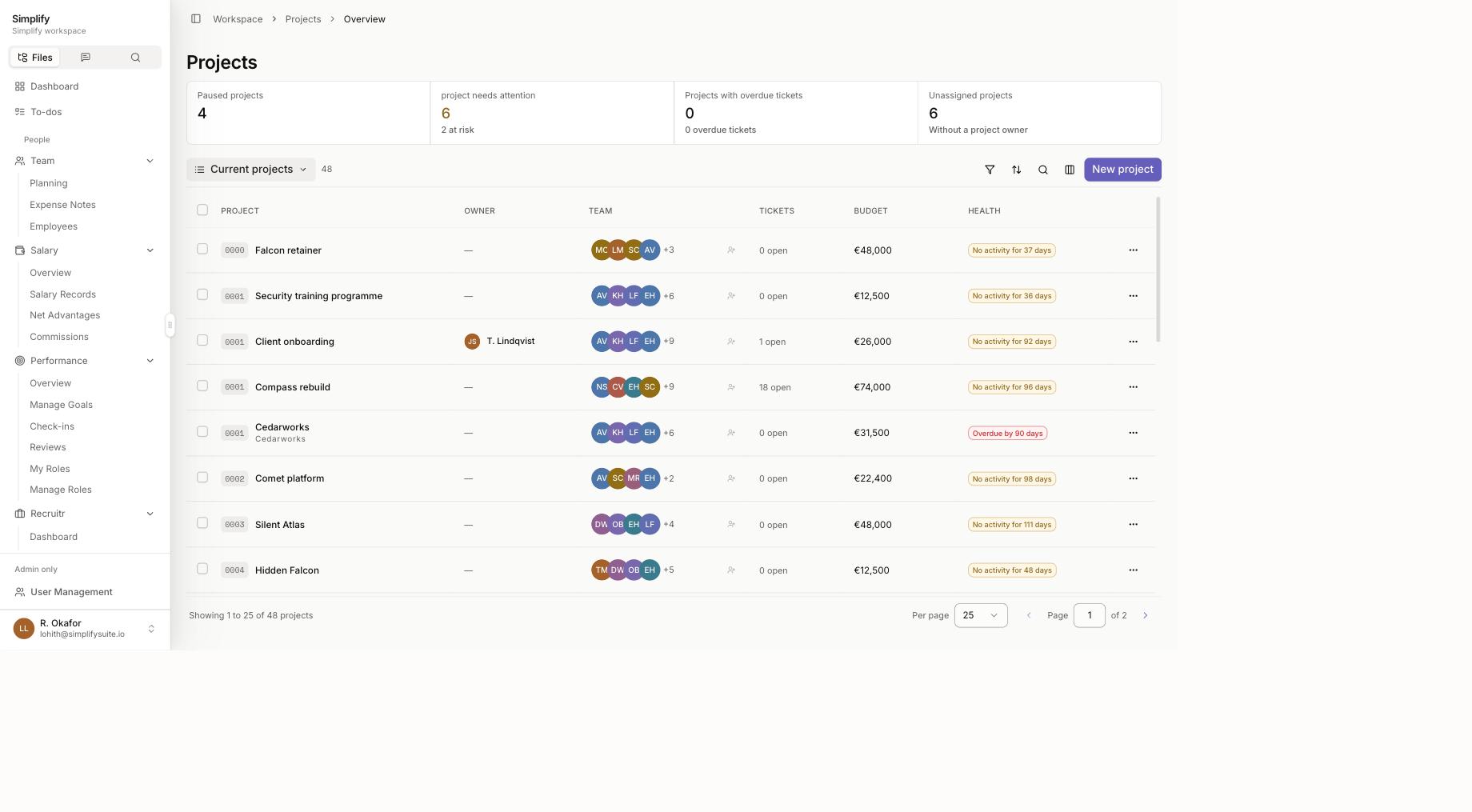
Our project tool knew the work. Our spreadsheet knew the money. Nothing knew both at once, which meant a project could be "on track" and quietly unprofitable for two months before anyone noticed at invoicing time.
The columns now read: project, owner, team, tickets, budget, health. Budget sits in the same row as the work. The health column is blunt about it, projects that have gone quiet say so, in days, on the row.
The counters at the top are similarly unsentimental: paused projects, projects needing attention, projects with overdue tickets, and projects with no owner. That last one is the quiet killer in most agencies, and it is worth knowing it is there.
Where you should keep what you have: if your team lives in sprints with story points, velocity charts and deep Jira workflows, keep Jira. This is project management for a services business, not for a software engineering org.
5. Hiring, and why it sits next to payroll
We had: Recruitee Launch at EUR 199 a month, flat rate.
What it is in Simplify: jobs, clients, candidates, an application pipeline and a public careers page.
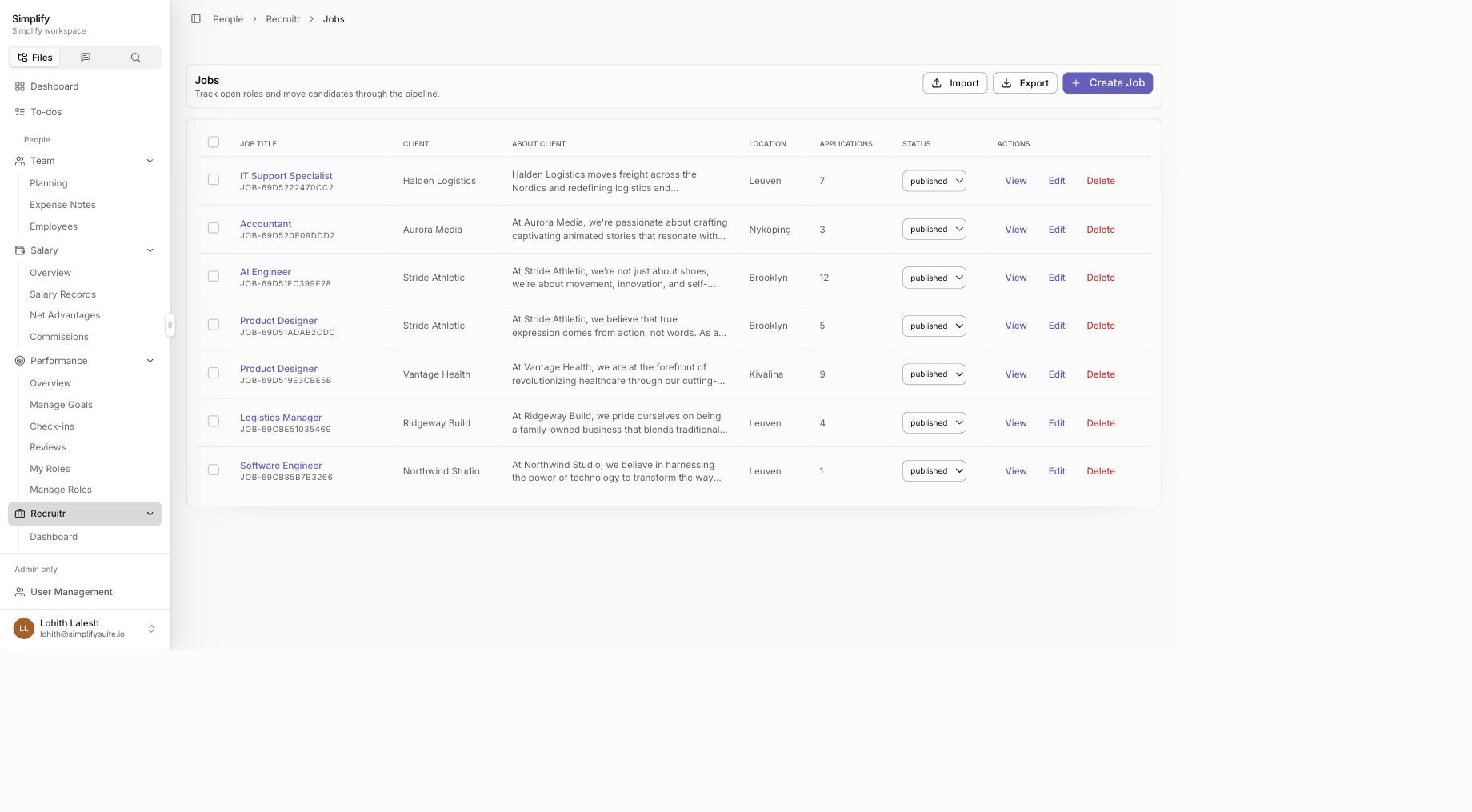
The reason this belongs in the same system rather than a separate one: the hire lands where payroll and team planning already live. A new person becomes a payroll record and a row in the capacity plan, instead of an email to whoever handles payroll and a follow-up two weeks later.
For agencies that recruit for clients rather than just for themselves, jobs carry a client against them, so the same workspace runs your own hiring and your client's.
Where you should keep what you have: if you hire fifty people a quarter, buy a real ATS.
6. Email
We did not replace email. Nobody replaces email. Anyone who claims they replaced email has added a seventh tool and also still has email.
What changed is how much work lived in the inbox. Approvals, invoice chasing, "where are we on this," status updates. That moved into the system, and email went back to being for conversations with humans outside the company.
What we could not replace
Our accountant. Covered above, twice, deliberately.
Two specialist tools we kept on purpose. Some jobs are better done by software built for exactly that job. We would rather tell you that here than have you discover it three weeks into a migration.
The test we would actually use
Go down your own list and ask one question per tool: does this need to know about money, or about who is doing the work?
If yes, it probably belongs in one system with the others, because the cost of it sitting alone is a person retyping between tabs.
If no, keep it. It is doing a specialist job and we are not going to be better at it.
If your six tools are a CRM, an invoicing tool, a cash-flow spreadsheet, a project tool, an ATS and a pile of documents, that is the shape of what this does, and the reason to move is not the subscription saving. It is that those six things stop being six separate things with a person in the middle.
If two of your six are deep specialist tools your team lives in every day, you will end up with three tools instead of six. That is still a good outcome, and we would rather say it now than after you have migrated.
---
Read the numbers behind this: we published our own software bill, including what did not improve.
Map it against your own stack: start a free trial, no credit card required, or book a demo and we will go tool by tool with you. If two of them should stay where they are, we will say so.

Savio Roofthoofd
I was the first in my family to get a degree, and I got there while juggling full-time studies, internships, extracurriculars, and building a startup all at once. Nobody handed me a playbook, I learned the hard way what it takes to keep every plate spinning without dropping the ones that mattered. That grind, that willingness to figure it out and keep going no matter what, is exactly what I bring to Simplify every day. With me, say what you mean, take feedback like a gift, and leave the ego at the door. That's the deal, always.