Expense Management
Expense List
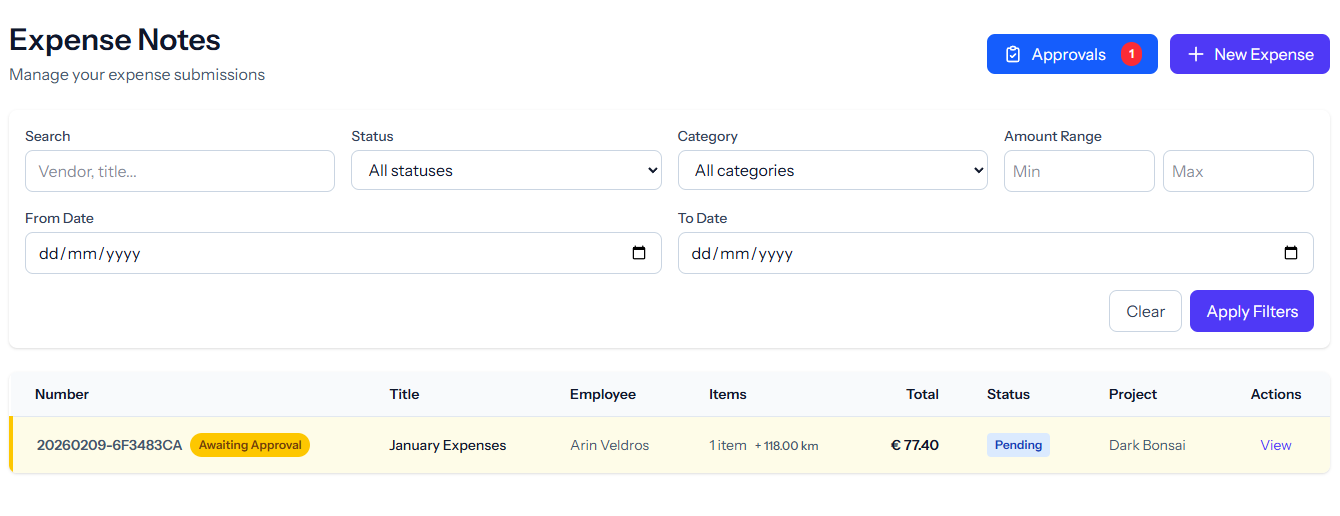
Paginated table with multi-filter support: search, status, category, amount range, date range, bulk selection and bulk delete.
Create/Edit Expense
Title, notes, project selection, cost-per-km setting, dynamic line items (category, description, amount, currency, date, vendor, payment method, receipt upload), travel section with auto-calculated totals.
Expense Detail View
Full expense breakdown with line items, receipt downloads, kilometer/travel compensation, and metadata.
Multi-Currency Support
Record expenses in different currencies with automatic conversion for consolidated reporting.
Approval Workflow
Submit
Employee submits draft for approval.
Approve/Reject
Manager approves or rejects with a reason.
Mark as Paid
Record payment with reference number and date.
Print View
Printer-friendly layout for physical records.
Permission-Based Actions
Buttons appear based on role (canEdit, canDelete, canApprove, canMarkAsPaid).
Travel & Mileage
Kilometer Registration
Log business trips with origin, destination, and distance for automatic fuel reimbursement calculation at your configured per-km rate.
EV Charging Compensation
Track kWh usage for employees who charge company vehicles at home, with configurable reimbursement rates.
Travel Summaries
Auto-calculated totals for travel-related expenses, broken down by trip, vehicle type, and time period.
Receipt Attachments
Upload photos of fuel receipts, toll tickets, and parking slips directly from your phone for a complete audit trail.
Ready to simplify your workflow?
Expense Notes is just one of many tools in the Simplify Suite. See how they all work together.